01
Left performer
Image 1 · Starts on the left
JPG, PNG, WebP, BMP · Up to 20 MB
YOUR CAST. YOUR CREATIVE DIRECTION.
THE ORANGE STUDIO
Put your own duo in the orange studio. Upload two photos, choose your format, and let the original performance set the scene.
Start creatingWatch the exampleImage 1 · Starts on the left
JPG, PNG, WebP, BMP · Up to 20 MB
Image 2 · Starts on the right
JPG, PNG, WebP, BMP · Up to 20 MB
One clear person per photo. The order above sets the two roles throughout the performance.
4s follows the opening 4 seconds of the reference at its original pace.
My creationsFree-plan videos are public. Paid-plan videos are private; downloads follow your plan.
PRESS PLAY
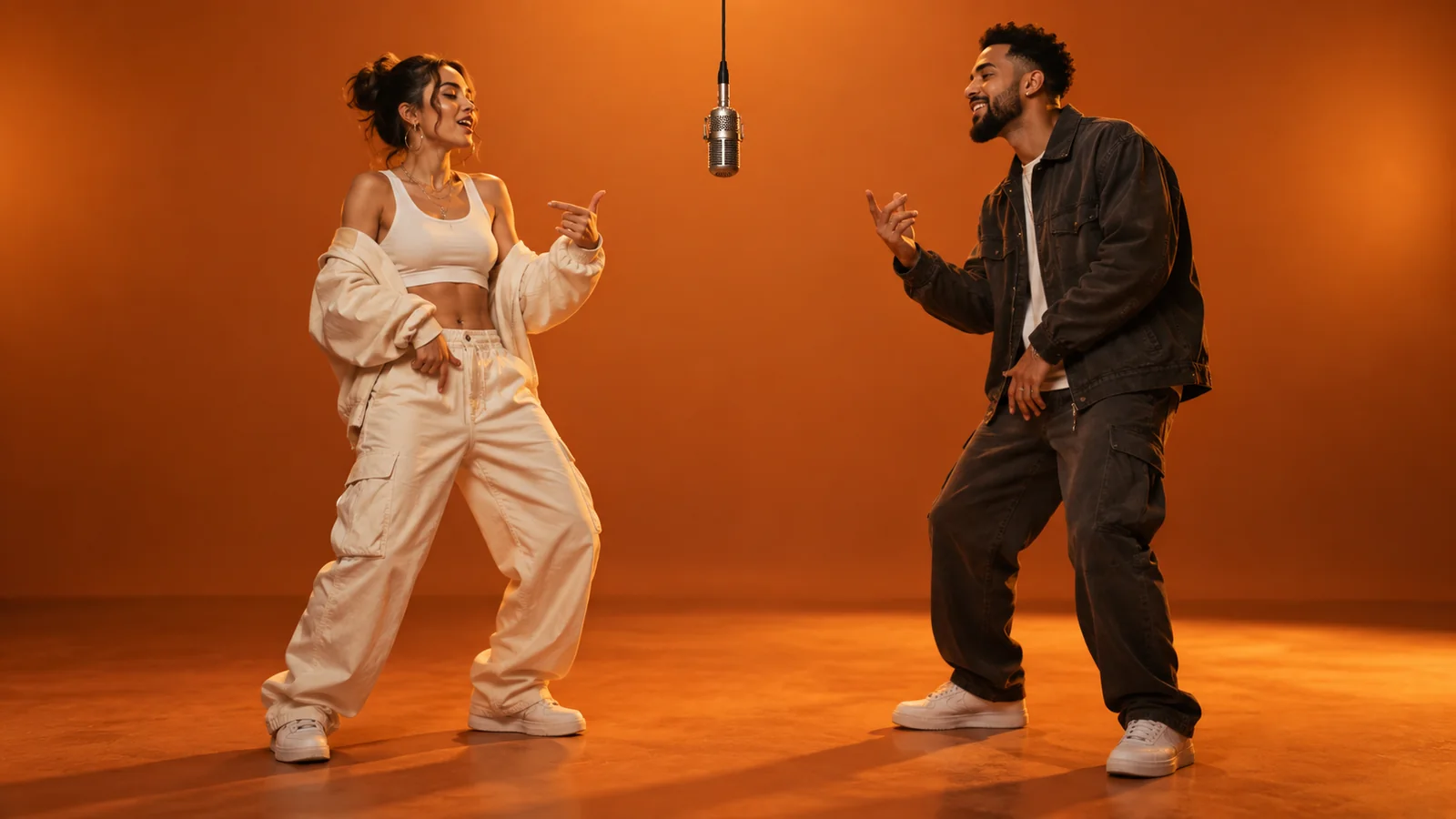
See how an orange backdrop, a shared microphone, and two performers create a recognizable scene. Use the staging as inspiration for a version with your own cast and mood.
THE CREATIVE STARTING POINT
A familiar setup makes room for an unexpected pairing. Start with the people or characters that make your idea worth watching.
External reference video by Sogni. Cover artwork is an AI-generated concept illustration; it is not a frame from the video or a result generated on this site.
FROM IDEA TO PERFORMANCE
Choose your two performers and a final format. The reference scene and creative direction are already prepared.
Upload one clear photo for the left performer and one for the right. These roles stay bound to the corresponding original performers throughout the video.
Two photos · Two fixed rolesPick the aspect ratio, 480p, 720p or 1080p resolution, and 4, 10 or 15 seconds. The workspace shows the exact Wan 3.0 credit cost before you create.
Ratio · Resolution · DurationGenerate with your account credits and watch the result. Check faces, hands, framing, and audio before sharing. Download access follows the plan shown in pricing.
Review · Refine · ShareThe reference video and identity-replacement brief are included automatically. No prompt writing or model selection is needed.
Compare plansA BETTER BRIEF, A CLEARER SCENE
Give each role a clear identity. The studio handles the scene, performance, and direction.
 AI-generated concept illustration
AUTOMATIC CREATIVE DIRECTION
Replace the left performer with Image 1 and the right performer with Image 2. Track both identities throughout the continuous shot. Follow the reference performance while preserving its orange studio, microphone, camera, and rhythm.
This is a summary of the direction applied automatically. Upload your two photos in the workspace to start.
Use clear, well-lit reference photos where supported. Avoid heavy filters and faces hidden by hair, hands, or sunglasses.
Image 1 starts on the left; Image 2 starts on the right. Swap the photos before generating if you want to switch the cast.
Choose vertical framing for a phone-first scene, or wide framing to show more of the stage, when the model supports it.
UNDERSTAND THE LOOK
The format draws on Quavo and Takeoff’s “HOTEL LOBBY” performance on A COLORS SHOW, published in June 2022: two performers, a suspended microphone, and a saturated orange setting.
AI reinterpretations change the cast while keeping that simple visual language. The useful creative idea is the pairing: friends, partners, pets, or original characters in a setting viewers recognize. Hotel Lobby refers to the song and performance-inspired format.
Watch the original COLORS performanceChoose monthly, yearly, or one-time credits for the images, video takes, and music ideas behind your orange studio performance shorts. Check each model's credit cost before generating.
Cancel anytime
BEFORE YOUR FIRST TAKE
Upload two photos in the workspace: one for the left performer and one for the right. Choose the aspect ratio, resolution, and 4, 10 or 15 seconds. Review the credits, sign in, and create. The reference video and instructions are added automatically.
Yes. This workspace requires exactly two photos. Each photo defines a separate performer identity; they are identity references, not first and last frames.
Generation uses account credits. The workspace displays the cost for your selected model and settings before you submit. Visit pricing for current plans, credit allowances, and download access.
Audio is enabled, and the instructions ask Wan 3.0 to retain the reference soundtrack and timing. The model may reinterpret audio or movement; review the result before sharing.
They can be part of your creative brief. Use a clear reference where supported and keep the scene simple. Review the result carefully, since appearance and movement can vary between generations.
The creative workspace runs in your desktop or mobile browser. Sign in to generate, keep track of your creations, and use the features available to your account.
YOUR NEXT TAKE
Bring two photos. Choose your format. Make the orange stage your own.
Open the workspace